A cheap standing desk can look perfectly fine in product photos. Then you raise it to standing height and start typing.
The monitor shakes. The webcam moves slightly during calls. Your coffee cup vibrates every time your hands hit the keyboard. If you use a monitor arm, the wobble can feel even worse because the screen sits higher and moves more visibly.
That is the problem many remote workers discover too late: not every electric standing desk is stable enough for a full workday.
This guide is for people who spend long hours at a desk — remote professionals, software engineers, writers, designers, and digital creators who sit for eight or more hours a day and want a better home office setup. If your lower back feels tight by mid-afternoon, your neck gets stiff from poor monitor height, or your current desk shakes whenever you type, a better sit-stand desk can help.
But a standing desk is not a magic fix.
Standing all day is not better than sitting all day. The real benefit is movement. A good motorized standing desk makes it easier to switch between sitting and standing, adjust your keyboard to a better height, improve your monitor position, and reduce the long static posture that makes many home office setups uncomfortable.
We did not hands-on test every desk in this guide. This roundup is based on official product specifications, manufacturer documentation, retailer information, practical home office setup analysis, and user-fit comparisons.
How We Chose These Standing Desks
This roundup focuses on practical buying factors, not just product popularity.
I compared these desks based on the details that matter most for real home office use:
| Buying Factor | Why It Matters |
|---|---|
| Stability | A standing desk should not shake badly when typing, using monitor arms, or working at full height. |
| Height range | The desk needs to fit your seated and standing typing height. |
| Motor system | Dual-motor desks usually lift more smoothly and handle heavier setups better. |
| Weight capacity | The frame should support monitors, laptops, arms, lights, speakers, and other daily gear. |
| Cable management | Standing desks move, so cords need safe routing and enough slack. |
| Desktop size | The desk should fit your room and your actual equipment. |
| Warranty and support | Electric desks have motors, keypads, and control boxes that may need support over time. |
| Best user fit | A desk for a small apartment is not the same as a desk for a full creator workstation. |
This article includes premium, mid-range, budget, tech-focused, and small-space options. The goal is not to pretend one desk is perfect for everyone. The goal is to help you choose the right desk for your workspace, budget, body size, and equipment.
Quick Recommendations
| Desk | Best For | Main Reason to Choose It | Price |
|---|---|---|---|
| Uplift V3 Standing Desk | Best overall | Strong stability, customization, cable management, and long-term flexibility | Check price on Amazon |
| FlexiSpot E7 | Best mid-range value | Dual motors, strong capacity, smooth movement, and fair pricing | Check price on Official FlexiSpot E7 Page |
| Secretlab Magnus Pro | Best for cable management | Integrated power column, full-length cable tray, and tech-focused organization | Check price on Amazon |
| ErGear Height Adjustable Electric Desk | Best budget option | Affordable electric adjustment for light home office setups | Check price on Amazon |
| Branch Duo Standing Desk | Best for small spaces | Compact sizes, clean design, and apartment-friendly footprint | Check price on Amazon |
Important Note About Specs, Images, and Affiliate Links
Product specs can change over time. Before buying, always confirm the current height range, weight capacity, warranty, desktop size, return policy, and included accessories on the official manufacturer or retailer page.
Some images used in this article may be illustrative workspace examples rather than official product photos. Use them for setup inspiration, not as exact proof of product design, finish, dimensions, or included accessories.
This article may include affiliate links. That means we may earn a commission if you buy through a link, at no extra cost to you. The recommendations below are organized by user need, not by which product has the highest commission.
What Matters Most Before You Buy
If you only remember one thing, remember this: buy for stability and fit first.
A budget adjustable desk can be fine for a laptop and one monitor. But if you are tall, use dual monitors, type heavily, or rely on monitor arms, a cheaper desk may wobble more at standing height. Premium desks like Uplift V3, FlexiSpot E7, and Secretlab Magnus Pro usually offer stronger frames, better motors, cleaner cable routing, and more confidence for full-time use.
Also check the desk height range before you buy. Your elbows should sit close to a 90-degree angle when typing, whether you are seated or standing. Your shoulders should stay relaxed, and your monitor should be close to eye level. If a desk does not match your body, even an expensive model can feel uncomfortable.
Now let’s look at the best standing desks for home office use, starting with the strongest overall pick.
1. Uplift V3 Standing Desk — Best Overall and Most Customizable

Images are illustrative workspace examples, not official product photos.
The Uplift V3 Standing Desk is the strongest overall pick for people who want a premium standing desk that feels stable, flexible, and built for long-term home office use.
This is not the desk I would recommend to someone who only works from home once a week or just needs a cheap surface for a laptop. The Uplift V3 makes more sense if your desk is where you spend most of your day. If you use dual monitors, a docking station, monitor arms, a full keyboard setup, speakers, chargers, and other accessories, the extra stability and customization matter.
The biggest reason to consider the Uplift V3 is that it addresses the problems that make many cheaper standing desks frustrating: wobble at standing height, messy cables, limited setup options, and weak long-term flexibility. It uses a dual-motor frame, supports heavier workstations, includes modern cable-management features, and comes with a wide range of desktop sizes, finishes, frame colors, keypad choices, and accessories.
That said, it is not perfect. The Uplift V3 can get expensive quickly once you start adding larger desktops, premium wood finishes, monitor arms, drawers, power accessories, and other upgrades. It is also a two-leg desk, so while it is very stable for its category, users who want a desk floating in the middle of a room may still prefer a four-leg standing desk.
Quick Specs to Check Before Buying
Before choosing any standing desk, confirm the current specs on the official product page or retailer listing. Product configurations can change over time.
| Spec | Uplift V3 Standing Desk |
|---|---|
| Best for | Serious home offices, dual-monitor setups, long workdays |
| Frame type | 2-leg electric standing desk |
| Motor type | Dual motor |
| Height range | About 22.6 to 48.7 inches, depending on configuration |
| Weight capacity | About 355 pounds |
| Memory presets | Available with advanced keypad options |
| Warranty | 15 years on many current Uplift V3 configurations |
| Best setup style | Against a wall or in a dedicated home office |
| Main drawback | Price increases fast with premium desktops and accessories |
Source: Specs checked from the official Uplift product page on July 1, 2026.
The Uplift V3 is designed to feel more stable than many lower-cost electric desks, especially for normal home office tasks like typing, video calls, and dual-monitor work. Its frame, dual-motor lift system, and higher weight capacity make it a better fit for full-time remote workers who need a desk that can handle daily use without feeling flimsy.
Be realistic, though. No two-leg standing desk is completely motionless. If you push hard on the front edge, use it at maximum height, or place it in the middle of a room, you may still notice some movement. For most home offices, placing it against a wall will give the best stability.
Who It’s For
The Uplift V3 is best for remote professionals, software engineers, designers, writers, video editors, and digital creators who work from the same desk every day and want fewer compromises.
It is especially useful if your current desk shakes when you type, feels unstable with monitor arms, or has cables hanging behind the frame. A stable motorized desk matters more when you have heavier equipment on top. The more gear you add, the more you notice weak frames and poor cable routing.
This desk is also a good fit if you want to build your home office over time. You might start with a simple desktop and one monitor, then later add a monitor arm, under-desk storage, power modules, lighting, a footrest, and better cable management. Uplift’s accessory ecosystem makes that easier than starting with a basic budget desk that has limited upgrade options.
You should probably skip it if your budget is tight, your setup is light, or you only need an occasional sit-stand option. In that case, a desk like the FlexiSpot E7 or ErGear may make more sense.
Feature 1: Strong Stability for a Two-Leg Standing Desk
Stability is the main reason to move up to a desk like the Uplift V3.
Many budget adjustable desks feel fine at sitting height, then start shaking once they rise to standing height. That wobble becomes more obvious with dual monitors, monitor arms, a heavy keyboard, or fast typing. It can also look unprofessional on video calls if your camera or monitor shakes every time you touch the desk.
The Uplift V3 is designed to feel more solid across its height range. It uses a refined frame and reinforced design intended to reduce movement during normal work. Reviewers have also highlighted the V3’s improved stability compared with earlier models and many lower-cost standing desks.
Be realistic, though. No two-leg standing desk is completely motionless. If you push hard on the front edge, use it at maximum height, or place it in the middle of a room, you may still notice some movement. For most home offices, placing it against a wall will give the best stability.
Feature 2: Advanced Memory Keypad for Daily Position Changes
A standing desk only helps if you actually use the height adjustment.
The Uplift V3 supports advanced keypad options with memory presets, so you can save your preferred sitting and standing heights. This is more useful than it sounds. Instead of holding the button and guessing your ideal height every time, you can press one preset and let the desk move to the correct position.
That makes it easier to change positions throughout the day. For example, you can set one height for seated typing, one for standing work, one for video calls, and one for tasks where you want the desk slightly lower.
This matters for ergonomics. A good standing desk is not about standing all day. It is about moving more often and keeping your keyboard, elbows, shoulders, and monitor in a better position.
Feature 3: Better Cable Management for Real Workstations
Cable management is where the Uplift V3 feels more practical than many standard electric desks.
Standing desks move, so loose cables can become a real problem. If cords are too short, they can tug when the desk rises. If they are too loose, they hang behind the desk and make the setup look messy. If the power strip is sitting on the floor, the desk can become frustrating every time you adjust it.
The Uplift V3 includes integrated cable-management features and supports additional accessories for routing power, monitor cables, charging cords, and docking station wires. Uplift’s own V3 materials highlight integrated cable management, a modular accessory system, dual motors, and a 15-year warranty.
This is especially helpful for dual-monitor setups, laptop docks, microphones, lighting, speakers, and other accessories. If you care about a clean ergonomic workspace, cable management should not be treated as an afterthought.
Pros
- Excellent stability for most home offices. The Uplift V3 is one of the better two-leg standing desks for reducing wobble during normal typing, video calls, and dual-monitor work.
- Highly customizable. You can choose from different desktop sizes, desktop materials, frame colors, keypad options, grommets, storage accessories, monitor arms, and cable-management tools.
- Good for heavier work setups. The dual-motor frame and high weight capacity make it suitable for monitors, arms, docks, lamps, speakers, and other home office equipment.
- Useful cable-management options. The V3 is easier to organize than many cheaper desks because cable routing and accessory mounting are part of the system.
- Strong long-term warranty. Many current V3 configurations include a 15-year warranty, which makes it more appealing as a long-term home office investment.
Cons
- It can get expensive quickly. The base desk may look reasonable, but premium desktops, larger sizes, power accessories, drawers, and monitor arms can raise the final price.
- Customization can be overwhelming. There are many configuration options, which is great for control but less ideal if you want a simple buying process.
- Not the best budget pick. If you only need a basic budget adjustable desk for light use, this is probably more desk than you need.
- Still not as planted as a four-leg desk. It is stable for a two-leg frame, but users with very heavy setups or center-room layouts may want a four-leg model.
- Some users may need extra accessories. Cable management is better than average, but depending on your setup, you may still want additional trays, power strips, arms, or mounts.
Best Setup for the Uplift V3
The Uplift V3 works best as a dedicated home office desk placed against a wall. Pair it with a proper ergonomic chair, a monitor arm or monitor riser, an external keyboard and mouse, and a clean cable-management plan.
For most remote workers, a 60-inch or 72-inch desktop will give enough space for dual monitors, a laptop dock, keyboard, mouse, desk lamp, and notebook. Smaller desktops can work, but they may feel tight once you add monitor arms and accessories.
If you are taller, double-check the maximum height. If you are shorter, check the minimum height and make sure your seated typing position will be comfortable without raising your chair too high.
Who Should Skip It
Skip the Uplift V3 if you are mainly shopping by lowest price. It is a premium desk, and the value comes from stability, warranty, customization, and long-term use — not from being cheap.
You may also want to skip it if you prefer a very simple setup with no accessories. A lighter desk may be enough if you only use a laptop and one monitor.
Finally, if you plan to place your desk in the center of a room and want the absolute least movement possible, compare it against a four-leg standing desk before buying.
Bottom Line
The Uplift V3 is the best overall standing desk in this roundup because it combines strong stability, a wide customization ecosystem, practical cable management, and long-term warranty coverage.
It is the right choice for serious remote workers and creators who want a stable motorized desk that can support a real workstation. It is not the cheapest option, and the price can climb fast, but the extra cost is easier to justify if you spend eight or more hours a day at your desk.
For a simple laptop setup, buy something cheaper. For a long-term ergonomic workspace with dual monitors, accessories, and fewer wobble frustrations, the Uplift V3 is one of the safest premium picks.
Check Uplift V3 price on Amazon
2. FlexiSpot E7 — Best Mid-Range Value
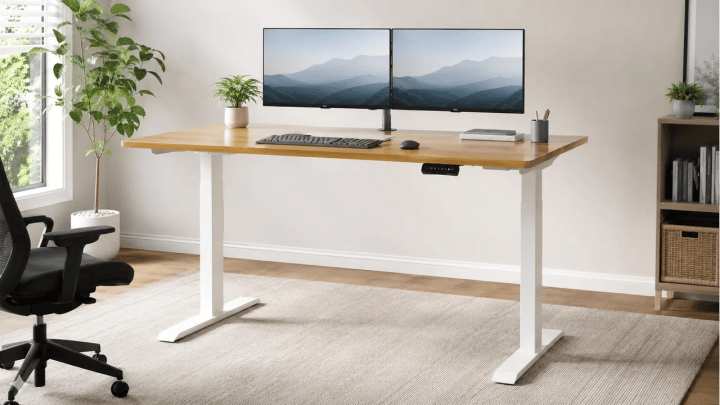
Images are illustrative workspace examples, not official product photos.
The FlexiSpot E7 is the desk I would recommend to most buyers who want a stable motorized desk without paying premium custom-desk prices.
It sits in a practical middle ground. You get a dual-motor frame, strong weight capacity, a wide height range, memory presets, and better overall stability than many entry-level electric desks. But you are not stepping into the same price range as heavily customized premium desks with solid wood tops, large accessory bundles, and high-end finishes.
That makes the FlexiSpot E7 one of the easiest recommendations for remote professionals who want better comfort but still care about value.
It is not the cheapest standing desk. It is also not the most luxurious. Its strength is balance. For a typical home office with a laptop, monitor, keyboard, mouse, desk lamp, notebook, and maybe a monitor arm, the E7 gives you the features that matter most without making you pay for extras you may never use.
The main thing to know is this: the FlexiSpot E7 is a strong mid-range desk, but it is still a two-leg standing desk. It should feel stable enough for most normal work setups, especially against a wall, but users with very heavy gear, large dual monitor arms, or a center-room layout may still want a heavier-duty or four-leg frame.
Quick Specs to Check Before Buying
Always confirm the latest specs on the official product page before purchasing. Standing desk models can change, and height range or warranty details may vary by frame, region, desktop thickness, or retailer listing.
| Spec | FlexiSpot E7 Standing Desk |
|---|---|
| Best for | Mid-range home offices, remote workers, dual-monitor light-to-moderate setups |
| Frame type | 2-leg electric standing desk |
| Motor type | Dual motor |
| Height range | About 22.8″ to 48.4″ without desktop |
| Weight capacity | About 355 lb |
| Keypad | Premium LCD keypad with custom height presets |
| Cable management | Cable tray available/included depending on configuration |
| Warranty | Listed as 15 years on current FlexiSpot E7 materials |
| Best setup style | Against a wall or in a dedicated home office |
| Main drawback | Control pad sensitivity and less premium cable/accessory ecosystem than higher-end desks |
Source: Specs checked from the official FlexiSpot product page on July 1, 2026.
Who It’s For
The FlexiSpot E7 is best for remote workers, software engineers, writers, students, designers, and home office users who want a better desk than a basic budget adjustable desk but do not want to overspend.
It is a strong fit if you use one or two monitors, an external keyboard, a laptop dock, a small speaker, a desk lamp, and normal daily work accessories. The dual-motor system and 355 lb load capacity give it enough strength for most realistic home office setups.
This is also a good choice for someone upgrading from a cheap desk that wobbles too much. The E7 gives you better frame quality, stronger lifting power, and smoother movement without forcing you into a luxury price bracket.
You should probably skip it if you want the most premium wood finishes, a fully integrated tech ecosystem, or the cleanest built-in cable management available. In those cases, Uplift V3 or Secretlab Magnus Pro may be a better match.
Feature 1: Dual-Motor Lifting for Better Everyday Performance
The FlexiSpot E7 uses a dual-motor lifting system, which is one of the biggest reasons it feels more capable than many low-cost electric desks.
Dual motors help the desk move more smoothly and support heavier setups more confidently. That matters if you use a monitor arm, an ultrawide monitor, multiple devices, or accessories that add weight to the desktop.
A weaker desk can feel fine at first but become annoying over time. You may notice slower movement, more shaking, or a frame that sounds strained when lifting heavier gear. The E7 is built to handle a more serious home office setup than basic single-motor desks.
For people who switch between sitting and standing several times a day, this matters. The smoother the adjustment feels, the more likely you are to actually use it.
Feature 2: Strong Weight Capacity for Real Home Office Gear
The FlexiSpot E7 has a listed weight capacity of about 355 lb, which is more than enough for most remote work setups.
That gives you room for a large desktop, monitor, keyboard, mouse, laptop dock, speakers, desk lamp, books, and accessories. You do not have to treat the desk like it can only handle a laptop and coffee mug.
This is useful for software engineers and digital creators who tend to build heavier setups over time. You might start with one monitor and later add a second screen, a better monitor arm, lighting, audio gear, or extra desk organization.
The E7 gives you more headroom than most budget desks. That said, weight capacity is not the same as wobble resistance. A desk can lift a lot of weight and still move slightly at standing height, especially with heavy monitor arms. Keep heavier items centered and avoid overloading one side.
Feature 3: Wide Height Range and Memory Presets
The E7 has a listed height range of about 22.8″ to 48.4″ without the desktop, which makes it more flexible than many budget adjustable desks.
That wide range matters because ergonomic comfort depends on your body. At sitting height, your elbows should stay close to a 90-degree angle, your shoulders should relax, and your wrists should stay neutral. At standing height, the same rules apply.
The premium LCD keypad with custom height presets is also useful for daily work. You can save your sitting and standing positions instead of guessing every time. That makes it easier to move throughout the day without breaking your focus.
This is one of the most practical features on any standing desk. A desk that is easy to adjust gets used more often. A desk that feels annoying to adjust usually stays in one position all day.
Feature 4: Basic Cable Management Without the Premium Price
The FlexiSpot E7 includes cable-management support, including a cable tray depending on the configuration. That helps keep cords off the floor and gives power strips, monitor cables, and charging wires a cleaner place to live.
This is important because standing desks move. Bad cable routing can cause cords to tug, hang, or disconnect when the desk rises. Even a good standing desk can feel messy if the cables are poorly planned.
The E7 does not have the same fully integrated cable system as the Secretlab Magnus Pro, and it does not offer the same accessory depth as Uplift. But for the price, it gives you enough structure to build a clean setup with a little planning.
For best results, use an under-desk tray, cable sleeves, adhesive clips, and a power strip mounted under the desktop. Leave enough slack for the desk to move from its lowest to highest position without pulling anything tight.
Pros
- Strong mid-range value. The E7 gives you dual motors, a wide height range, memory presets, and solid lifting capacity without reaching premium custom-desk pricing.
- Good stability for most home offices. It should work well for laptop users, single-monitor setups, and many dual-monitor workstations, especially when placed against a wall.
- High enough weight capacity for real gear. The 355 lb capacity gives most users plenty of room for monitors, accessories, and normal work equipment.
- Useful height range. The listed 22.8″ to 48.4″ range without the desktop makes it suitable for a wide range of users, though very tall or very short users should still measure first.
- Memory presets make daily use easier. Saving sitting and standing heights removes friction and makes it more likely you will actually change positions during the day.
- Better than most budget desks for long-term use. It feels more serious than entry-level models and is a safer pick if you work from home full time.
Cons
- The control pad may be too sensitive. Some users may find it easy to trigger accidental touches, especially if the keypad sits near where they move their chair, hands, or cables.
- Cable management is good, not best-in-class. It can be kept clean, but it does not match the fully integrated system of the Secretlab Magnus Pro.
- Not as customizable as Uplift. You still get configuration options, but the accessory ecosystem is not as broad as Uplift’s.
- Still a two-leg desk. It is stable for most users, but if you want the least possible movement with heavy gear, a four-leg desk may be better.
- Not the cheapest option. If your budget is very tight and your setup is light, ErGear may be enough.
Best Setup for the FlexiSpot E7
The FlexiSpot E7 works best as a practical full-time home office desk placed against a wall.
A good setup would be one or two monitors, a laptop dock, external keyboard and mouse, a desk lamp, and a simple under-desk cable tray. Keep heavy gear centered and avoid placing large monitor arms at the far edges of the desktop.
For most users, a medium-to-large desktop size will give the E7 enough room to feel comfortable without overwhelming the room. If you are using dual monitors, do not go too small. A cramped desktop makes cable management harder and can force poor posture.
Before buying, measure your seated elbow height and standing elbow height. Then check whether the E7’s height range works for your body once the desktop thickness is included.
Who Should Skip It
Skip the FlexiSpot E7 if you want the absolute cheapest standing desk. It is a value pick, not a bargain-basement pick.
You may also want to skip it if you are building a very heavy creator workstation with multiple large monitors, studio speakers, a desktop PC on the desk, and several mounted accessories. The E7 can handle a lot, but heavy setups are where premium or four-leg desks become more attractive.
If cable management is your biggest priority and you want almost no visible cords, the Secretlab Magnus Pro is a cleaner choice.
If you want maximum customization, premium desktop materials, and a larger accessory ecosystem, the Uplift V3 is the better upgrade.
Bottom Line
The FlexiSpot E7 is the best mid-range value because it gives most home office users the features they actually need: dual motors, strong lifting capacity, useful height range, memory presets, and good everyday stability.
It is the desk to choose if you want a serious upgrade from a cheap wobbly desk but do not want to pay for a fully premium setup.
For most remote professionals, this is the sensible middle choice. It is strong enough for daily work, flexible enough for common home office setups, and more affordable than the most customizable premium desks.
Just be realistic about your needs. If you have a light setup, ErGear may save you money. If you have a heavy workstation or want the cleanest cable system, move up to Uplift or Secretlab. But for the average work-from-home user who wants reliable performance at a fair price, the FlexiSpot E7 is one of the safest picks in this list.
Check FlexiSpot E7 on Official Site
3. Secretlab Magnus Pro — Best for Cable Management and Tech Enthusiasts

Images are illustrative workspace examples, not official product photos.
The Secretlab Magnus Pro is the best standing desk in this list for people who hate cable mess.
Most standing desks solve height adjustment first and cable management second. The Magnus Pro is different. It is built around cable control, power routing, and accessory organization from the start. That makes it especially useful for tech-heavy home offices with dual monitors, a desktop PC, laptop dock, speakers, microphone arm, chargers, lighting, and multiple peripherals.
This is not the warmest or most traditional-looking desk. It has a dark, modern, gaming-inspired style with a metal desktop and magnetic accessory system. Some users will love that. Others may prefer a wood desktop or a softer office look.
The Magnus Pro also costs more than many standard standing desks, and the accessories can raise the final price quickly. But if your biggest frustration is visible wires, tangled chargers, and power strips on the floor, this desk solves a real problem that many cheaper desks leave to DIY fixes.
Quick Specs to Check Before Buying
Always confirm current specs on Secretlab’s official product page before purchasing. Desk sizes, bundles, prices, and accessories can change over time.
| Spec | Secretlab Magnus Pro |
|---|---|
| Best for | Tech-heavy setups, cable management, creators, gamers, dual-monitor workstations |
| Frame type | 2-leg electric standing desk |
| Desk sizes | 59.1″ x 27.6″ and 70.0″ x 31.5″ XL version |
| Height range | 25.6″ to 49.2″ |
| Max distributed load | 265 lb |
| Warranty | 5 years |
| Construction | Steel frame with metal/MDF desktop construction |
| Cable management | Full-length cable tray with rear hinged access |
| Power routing | Integrated power supply column |
| Main drawback | Heavy, expensive, and visually tech-focused |
Source: Specs checked from the official Secretlab product page on July 1, 2026.
Who It’s For
The Secretlab Magnus Pro is best for software engineers, streamers, video editors, designers, gamers, creators, and remote workers with a lot of desk gear.
It is a strong fit if your setup includes multiple monitors, a desktop PC, an external microphone, speakers, charging stations, lighting, headphones, and extra accessories. These are the setups where cable clutter becomes a daily annoyance.
It also works well if your desk appears in videos, livestreams, Zoom calls, YouTube content, or product photos. A cleaner cable setup can make your workspace look more controlled and professional.
You should probably skip it if you want a natural wood desk, a traditional home office look, or the highest weight capacity possible. The Magnus Pro is excellent for organization and tech aesthetics, but it is not the most universal desk in this roundup.
Feature 1: Integrated Power Supply Column
The biggest reason to buy the Secretlab Magnus Pro is its integrated power supply column.
On most standing desks, you have to run a power cable from the wall to a power strip under the desk. Then you need enough cable slack for the desk to move up and down. If you get the routing wrong, cables can hang, tug, or drag behind the desk.
The Magnus Pro handles this more cleanly. Secretlab describes the desk as using an integrated power supply column that lets power route through the desk leg, reducing the number of visible cables going from the wall to the desktop area.
This is especially helpful if you adjust your desk height often. Instead of watching a bundle of cords move every time the desk rises, the setup can stay much cleaner.
It is not magic. You still need to organize your monitor cables, chargers, and accessories properly. But the built-in power routing gives you a much better starting point than a basic electric desk.
Feature 2: Full-Length Cable Management Tray
The full-length cable tray is another major reason the Magnus Pro stands out.
Secretlab’s cable tray runs along the rear of the desk and is accessed through a hinged rear cover. This gives you a dedicated place to hide power strips, charging bricks, monitor cables, speaker wires, and other desk clutter.
That matters because home office setups tend to grow over time. One monitor becomes two. A laptop charger becomes a dock. A USB microphone appears. Then speakers, a webcam, a light bar, headphones, and extra charging cables show up.
On a normal desk, that turns into a mess behind the monitor. On the Magnus Pro, those cables have a proper place to go.
The cable tray is not just about appearance. It also makes the desk easier to clean, easier to adjust, and less frustrating to use daily.
Feature 3: Magnetic Accessory Ecosystem
The Magnus Pro has a magnetic accessory ecosystem designed around the metal desktop and frame.
This includes accessories such as magnetic cable anchors, magnetic cable sheaths, headphone hangers, desk mats, monitor arms, and other modular add-ons. The benefit is that your setup can look more intentional instead of patched together with random clips, adhesive hooks, and loose cable sleeves.
This is useful for users who like clean, controlled workstations. If you constantly move accessories around or upgrade your setup, the magnetic system gives you more flexibility.
The downside is cost. The accessories are useful, but they can make the final desk price much higher. If you are buying the Magnus Pro, decide which accessories you actually need before adding everything to the cart.
Feature 4: Strong Metal Construction, but Heavy Assembly
The Magnus Pro uses a steel frame and metal-based desktop construction, which gives it a sturdy, premium feel. The standard 59.1-inch version weighs about 125 lb, while the larger XL version is listed around 150 lb.
That weight is part of why the desk feels substantial, but it also makes assembly more difficult. This is not a desk most people will want to move around casually. If you live upstairs, move often, or set up furniture alone, plan carefully.
For best results, assemble it with another person and decide the final room placement before building it.
Pros
- Best cable management in this roundup. The integrated power column and full-length cable tray solve a real problem for tech-heavy home offices.
- Excellent for multi-device setups. It is ideal for dual monitors, docking stations, microphones, speakers, charging gear, and desktop PC setups.
- Magnetic accessories are practical. Cable anchors, sheaths, headphone hangers, and desk mats make it easier to build a clean workstation.
- Premium metal construction. The steel frame and metal desktop design feel more substantial than many standard electric desks.
- Good fit for creators and streamers. If your workspace appears on camera, the cleaner cable routing and dark tech look can be a major advantage.
Cons
- Expensive compared with basic standing desks. The desk itself is premium, and accessories can raise the total cost quickly.
- Heavy and awkward to assemble. The standard version weighs about 125 lb, and the XL is even heavier, so setup is easier with two people.
- Not ideal for traditional office decor. The design leans modern, dark, and tech-focused. Wood-desk buyers may prefer Uplift or Branch.
- Lower weight capacity than some competitors. Its 265 lb distributed load capacity is enough for most setups, but lower than desks like the Uplift V3 or FlexiSpot E7.
- Cable management still needs planning. The built-in system helps, but you still need proper routing for monitors, chargers, and accessories.
Best Setup for the Secretlab Magnus Pro
The Magnus Pro works best as a dedicated tech workstation against a wall.
A strong setup would include dual monitors, a desktop PC or laptop dock, speakers, microphone arm, headset, charging station, and under-desk power strip routed through the cable tray. This is where the desk’s design makes the most sense.
If you use Secretlab’s magnetic accessories, start with the practical pieces first: cable anchors, magnetic cable sheaths, and a headphone hanger. Add the desk mat or monitor arms only if they match your workflow.
This desk is not necessary for a simple laptop setup. Its value becomes clearer when you have enough gear that cable management would otherwise become frustrating.
Who Should Skip It
Skip the Secretlab Magnus Pro if you want the cheapest standing desk. This is a premium desk built around tech organization, not a budget adjustable desk.
You should also skip it if you prefer natural wood, lighter furniture, or a softer minimalist home office style. The Magnus Pro has a clear tech/gaming personality.
If you need the highest lifting capacity for very heavy equipment, compare it with other desks first. The 265 lb load capacity is enough for most users, but not the strongest in this list.
Finally, if you move often or hate heavy assembly, be careful. This desk is not light, and the XL version is especially substantial.
Bottom Line
The Secretlab Magnus Pro is the best standing desk for cable management because it treats cords, power, and accessories as part of the desk design instead of leaving them as an afterthought.
It is the right choice for tech enthusiasts, creators, streamers, software engineers, and remote workers with gear-heavy setups. The integrated power column, full-length cable tray, and magnetic accessory system make it easier to build a clean workstation that stays organized.
It is not the best pick for everyone. It is heavy, expensive, and visually more tech-focused than traditional standing desks. But if cable clutter is your biggest home office frustration, the Magnus Pro is one of the most practical premium options available.
Check Secretlab Magnus Pro price on Amazon
4. ErGear Height Adjustable Electric Desk — Best Budget Option

Images are illustrative workspace examples, not official product photos.
The ErGear Height Adjustable Electric Desk is the budget pick in this roundup, and it should be judged that way.
It is not trying to compete with premium standing desks like the Uplift V3, FlexiSpot E7, or Secretlab Magnus Pro. Those desks usually offer stronger frames, higher-end motors, better cable management, longer warranties, and more confidence with heavier setups. The ErGear is different. Its main job is to give home office users an affordable way to move between sitting and standing without spending premium money.
That makes it a practical choice for beginners, students, apartment workers, and remote professionals with lighter setups.
If you currently work from a fixed desk, dining table, or basic writing desk, the ErGear can be a meaningful upgrade. You get electric height adjustment, memory presets, a simple desktop, and an easier way to add movement to your workday.
But if your main frustration is desk wobble, be realistic. Budget standing desks can feel less stable at taller standing heights, especially with monitor arms, heavy typing, or uneven weight on the desktop. The ErGear is best for light to moderate use, not heavy creator workstations.
Quick Specs to Check Before Buying
ErGear sells different standing desk models, so check the exact listing before publishing specs or buying. The numbers below reflect a common 48″ x 24″ electric ErGear model, but configurations may vary.
| Spec | ErGear Height Adjustable Electric Desk |
|---|---|
| Best for | Budget home offices, students, light remote work setups |
| Frame type | 2-leg electric standing desk |
| Common desktop size | Around 47.2″ x 23.6″ |
| Height range | Around 28.35″ to 46.46″ |
| Weight capacity | Around 176 lb / 80 kg on some models |
| Memory presets | Up to 4 saved height settings on many listings |
| Desktop material | Engineered wood / laminated desktop on common budget models |
| Best setup style | Against a wall, with laptop or single-monitor setup |
| Main drawback | More wobble risk at full height than premium desks |
Source: Specs checked from the official ErGear product page on July 1, 2026.
Who It’s For
The ErGear Height Adjustable Electric Desk is best for buyers who want a budget adjustable desk for simple daily work.
It makes sense if your setup includes a laptop, one monitor, keyboard, mouse, notebook, desk lamp, and a few small accessories. It is also a good fit for renters, students, hybrid workers, and people setting up a home office for the first time.
This is the desk for someone who wants to stop sitting all day but does not want to spend several hundred dollars more on a premium frame.
It is not the best fit for taller users who need a very high standing position, heavy dual-monitor arms, large ultrawide displays, desktop PCs placed on the desk, or gear-heavy creator setups. Those users should look at stronger dual-motor desks instead.
Feature 1: Affordable Electric Height Adjustment
The biggest reason to buy the ErGear desk is simple: price.
It gives you electric sit-stand adjustment at a much lower cost than most premium standing desks. That matters if you are building your home office slowly or testing whether a standing desk fits your routine.
The height range on common models is around 28.35″ to 46.46″, which works for many average-height users. Still, shorter and taller buyers should measure before ordering. A desk that does not go low or high enough can create new ergonomic problems instead of solving old ones.
For sitting, your elbows should sit near a 90-degree angle while typing. For standing, your shoulders should stay relaxed and your wrists should stay neutral. Do not rely only on product photos. Measure your body and compare it to the desk’s height range.
Feature 2: Memory Presets for Easier Daily Use
Many ErGear electric desk listings include memory presets, often allowing users to save up to four preferred heights.
This is a useful feature on a budget desk. It means you do not have to hold the up or down button and guess your preferred height every time. You can save a seated height, standing height, and maybe another position for video calls or casual browsing.
That convenience matters because people are more likely to use a standing desk when the adjustment feels easy.
A standing desk is not helpful if it stays in one position all day. Memory presets make movement more automatic, which is the real ergonomic benefit.
Feature 3: Compact Desktop for Small Home Offices
The common 48″ x 24″ size is practical for small rooms, bedrooms, apartments, and basic work corners.
It gives enough space for a laptop or single-monitor setup without taking over the room. This is one reason the ErGear works well as a starter desk. It is not huge, not overly complicated, and not visually heavy.
That said, the compact desktop can feel limiting if you use a lot of gear. Dual monitors, speakers, a microphone arm, a large keyboard, and notebooks can crowd the surface quickly.
If you need a wide desk for multiple screens, choose a larger model or step up to a stronger desk with more workspace.
Feature 4: Simple Build, but Basic Cable Management
The ErGear is generally designed for straightforward assembly, which is helpful for first-time standing desk buyers.
You are not dealing with a complex accessory ecosystem or a heavy premium frame. For most users, the setup is manageable with basic patience and a clear floor area.
Cable management, however, is basic. You may get some routing help depending on the model, but do not expect the clean built-in systems found on more expensive desks.
Plan to add your own cable tray, cable clips, cable sleeves, or under-desk power strip. This matters because standing desks move. Cables need enough slack to travel safely from the lowest to highest position without pulling against your monitor, laptop dock, or wall outlet.
Pros
- Very affordable. The ErGear is one of the easiest ways to get electric height adjustment without paying premium standing desk prices.
- Good starter desk for light setups. It works well for laptops, one monitor, keyboard, mouse, and basic home office accessories.
- Memory presets add real convenience. Saved height settings make it easier to switch between sitting and standing during the day.
- Compact enough for small spaces. The common 48″ x 24″ size fits bedrooms, apartments, student rooms, and small work corners.
- Simple design and assembly. It is easier to approach than larger, heavier, more complex premium desks.
Cons
- More wobble risk at standing height. Like many budget adjustable desks, it may shake more when fully raised, especially for taller users or heavy typists.
- Not ideal for heavy monitor arms. Large dual-monitor setups or heavy ultrawide monitors can make the desk feel less stable.
- Height range may not suit everyone. Taller users should carefully check whether the maximum height is comfortable before buying.
- Basic cable management. You will likely need extra cable accessories to keep the setup clean.
- Lower long-term confidence than premium desks. Premium models generally offer stronger motors, heavier frames, better accessory systems, and more stability under load.
Best Setup for the ErGear Desk
The ErGear works best against a wall with a simple, balanced setup.
A good setup would be a laptop or one monitor, keyboard, mouse, small desk lamp, and a few lightweight accessories. Keep heavier items centered on the desktop. Avoid placing large monitors, printers, or heavy equipment near one edge.
If you use a monitor arm, choose a lightweight arm and check whether the desktop can safely support the clamp. Some budget desktops are thinner or split into multiple panels, which can affect monitor-arm stability.
For cable management, mount a power strip under the desk and leave enough slack for the desk to rise fully. Do not let cables hang tightly from the wall to the desktop.
Who Should Skip It
Skip the ErGear if you already know desk wobble bothers you. It is better than a fixed desk for movement, but it is not the most stable motorized desk in this list.
You should also skip it if you are tall and need a higher standing position. A maximum height around the mid-46-inch range may not be enough for everyone, especially once keyboard height and posture are considered.
If you use dual monitors, a desktop PC, studio speakers, microphone arms, lighting, or heavy accessories, consider the FlexiSpot E7 or Uplift V3 instead.
If clean cable management is your top priority, the Secretlab Magnus Pro is a much stronger choice.
Bottom Line
The ErGear Height Adjustable Electric Desk is the best budget option because it gives you affordable electric sit-stand adjustment without overcomplicating the buying decision.
It is a smart starter desk for light home office setups, students, renters, and remote workers who want more movement during the day. It is easy to recommend for simple workstations where price matters more than premium stability.
But it is not a heavy-duty desk. Expect more wobble at taller heights than you would get from premium models, and do not overload it with heavy monitor arms or large equipment.
For light use, the ErGear is a practical budget adjustable desk. For full-time remote work with multiple monitors and long-term durability expectations, spend more on a stronger frame.
Check ErGear Height Adjustable Electric Desk price on Amazon
5. Branch Duo Standing Desk — Best for Small Spaces

Images are illustrative workspace examples, not official product photos.
The Branch Duo Standing Desk is the best pick in this list for small home offices, apartments, bedrooms, and shared spaces where a full-size standing desk would feel too bulky.
A lot of standing desks are built like everyone has a dedicated office room. Real work-from-home setups are not always like that. Many remote workers are using a bedroom corner, a studio apartment wall, a guest room, or a shared living space that still needs to look clean after work ends.
That is where the Branch Duo makes sense.
It is compact, simple, and more furniture-like than many electric standing desks. It has a clean design, rounded corners, smaller size options, and a less industrial look than heavier workstation desks. If you want an adjustable desk that fits into your home instead of taking over the room, the Duo is one of the better options.
But this is not the desk I would recommend for everyone. It is designed around compact convenience, not maximum range, maximum surface area, or heavy-duty workstation power. If you are tall, use multiple large monitors, or need lots of desktop space, you should compare the measurements carefully before buying.
Quick Specs to Check Before Buying
Always confirm the latest specs on the official product page before purchasing. Sizes, finishes, prices, and accessories can change over time.
| Spec | Branch Duo Standing Desk |
|---|---|
| Best for | Small spaces, apartments, bedrooms, minimalist home offices |
| Frame type | Compact 2-leg electric standing desk |
| Available sizes | 36″ x 24″, 48″ x 24″, and 58″ x 27″ |
| Height range | 28″ to 47.3″ |
| Weight limit | Up to 275 lb |
| Memory presets | 2 presets |
| Operating speed | About 1.3 inches per second |
| Operating noise | Under 50 dB |
| Cable management | Cable notch, optional cable organizer, optional power accessories |
| Warranty | 10 years |
| Main drawback | Shorter range and smaller surface options than larger workstation desks |
Source: Specs checked from the official Branch product page on July 1, 2026.
Who It’s For
The Branch Duo is best for remote workers, writers, students, consultants, freelancers, and apartment dwellers who want a compact standing desk with a clean, professional look.
It is a strong fit if your setup is simple: laptop, one monitor, keyboard, mouse, notebook, mug, and maybe a small desk lamp. The 36″ x 24″ version is especially useful for tight corners where larger desks will not fit. The 48″ and 58″ versions give more room if you want one or two monitors.
This desk also makes sense if your home office is visible in a bedroom, living room, or shared space. The Duo looks less like office equipment and more like modern home furniture.
You should probably skip it if you have a heavy creator setup, large ultrawide monitor, desktop PC on the desk, studio speakers, microphone arms, and lots of accessories. It can support more than a laptop, but its main advantage is compact design, not maximum workstation capacity.
Feature 1: Compact Sizes That Fit Real Homes
The biggest reason to choose the Branch Duo is its footprint.
The smallest 36″ x 24″ version gives you a true sit-stand desk for tight rooms, apartment corners, and small work areas. That is useful because many people do not have room for a 60-inch or 72-inch standing desk.
A smaller desk can also make your home office feel calmer. Instead of forcing a huge workstation into a room that cannot support it, the Duo gives you enough surface for focused work without crowding the space.
The trade-off is obvious: less desktop room.
If you use only a laptop or one monitor, that may be fine. If you use dual monitors, choose the 48″ or 58″ version. If you need multiple screens, speakers, notebooks, and creator gear, the Duo may start to feel cramped.
Feature 2: Clean Minimalist Design
The Branch Duo has a softer, more home-friendly design than many electric standing desks.
The rounded corners, simple silhouette, and multiple finish options help it blend into bedrooms, apartments, and shared rooms. That matters if your desk is not hidden in a private office.
This is one reason the Duo works well for remote workers who care about the look of their workspace. It feels tidy, modern, and professional without leaning into gaming aesthetics or heavy industrial styling.
That said, design should not be the only reason to buy it. Measure your room, check your equipment, and make sure the height range works for your body. A desk can look great and still be wrong for your setup if the size is too small or the height range is not comfortable.
Feature 3: Sit-Stand Adjustment With 2 Memory Presets
The Branch Duo includes electric height adjustment with 2 memory presets.
For most people, that is enough. You can save one seated height and one standing height, then switch between them during the day without guessing the correct position every time.
This is useful for building better work habits. A standing desk is not about standing for eight hours. It is about moving more often and reducing long static sitting sessions.
The listed height range is 28″ to 47.3″. That should work for many average-height users, but shorter and taller buyers should check carefully. If the desk does not go low enough, your shoulders may rise while typing. If it does not go high enough, taller users may hunch at standing height.
Before buying, measure from the floor to your elbows while seated and standing. Your desk should match those numbers closely when you are typing.
Feature 4: Simple Cable Organization, With Optional Accessories
The Duo includes a cable notch and supports optional organization accessories like a cable organizer, drawer, and power accessories.
That is helpful, especially in small spaces where visible cords can make the whole room feel messy. But this is not the same kind of cable system you get from the Secretlab Magnus Pro. The Duo gives you clean, simple organization, not a fully integrated tech workstation.
For a laptop and one monitor, the cable management should be manageable with a few clips and a power strip. For two monitors, a laptop dock, and chargers, you should plan your cable routing before final assembly.
Because the desk moves up and down, leave enough slack for every cable to travel safely through the full height range.
Pros
- Excellent for small spaces. The 36″ x 24″ size is useful for bedrooms, apartments, compact corners, and shared work areas.
- Clean home-friendly design. It looks more like modern furniture than heavy office equipment.
- Good size options. The 36″, 48″, and 58″ widths let buyers choose based on room size and monitor setup.
- Useful sit-stand controls. Two memory presets are enough for most users who only need seated and standing positions.
- Solid listed weight capacity. A 275 lb weight limit gives it more capacity than many people expect from a compact desk.
- Good warranty coverage. A 10-year warranty adds confidence for long-term home office use.
Cons
- Height range may not fit everyone. The 28″ minimum and 47.3″ maximum may be less ideal for very short or very tall users.
- Smaller desktop can feel limiting. The 36″ version is great for tight rooms but can feel cramped with more than a laptop and monitor.
- Not ideal for heavy creator setups. Users with large dual monitors, studio gear, speakers, or desktop PCs may need a larger desk.
- Cable management is simple, not advanced. It is cleaner than a basic desk, but not as integrated as the Secretlab Magnus Pro.
- Not the best value if you only care about specs. Part of what you are paying for is the compact design, finish options, and home-friendly look.
Best Setup for the Branch Duo
The Branch Duo works best in a small home office with a clean, lightweight setup.
A strong setup would include a laptop, one external monitor, keyboard, mouse, desk lamp, notebook, and a small plant or organizer. If you want dual monitors, choose the 48″ or 58″ size rather than the 36″ version.
Place the desk against a wall for the best stability and cleanest cable routing. Use a monitor riser or monitor arm only after confirming the desktop size and clamp compatibility.
For the smallest version, avoid overcrowding the surface. The whole point of the Duo is to create a compact, calm workspace, not squeeze a full production studio onto a small desk.
Who Should Skip It
Skip the Branch Duo if you want a large, heavy-duty workstation. It is not the best match for people with big dual-monitor arms, ultrawide monitors, studio speakers, desktop PCs, and lots of accessories.
You should also skip it if you are very tall or very short without first checking the height range. The listed 28″ to 47.3″ range may not be ideal for every body type.
If you want the most stable premium desk for heavy daily use, look at the Uplift V3 or a four-leg standing desk. If you want the best mid-range performance for a larger setup, the FlexiSpot E7 may be better. If you want the cleanest cable management for a tech-heavy desk, the Secretlab Magnus Pro is a stronger fit.
Bottom Line
The Branch Duo Standing Desk is the best small-space standing desk in this roundup because it solves a specific problem well: making a compact home office feel cleaner, more comfortable, and easier to use.
It is not the best desk for heavy workstations. It is not the best desk for maximum height range. And it is not the best choice if you need a huge desktop.
But for apartment corners, bedrooms, small home offices, and minimalist work setups, the Duo is a smart option. It gives you electric sit-stand adjustment, a clean design, practical size choices, and enough capacity for a focused everyday workstation.
Choose the Branch Duo if your biggest challenge is space. Choose something larger if your biggest challenge is heavy gear.
Check Branch Duo Standing Desk price on Amazon
Buyer’s Guide: How to Choose the Best Standing Desk for Your Home Office
Buying a standing desk is not just about picking the model with the best rating or the biggest discount.
A desk can look great online and still be wrong for your body, your room, or your equipment. Some desks are built for compact laptop setups. Others are better for dual monitors, heavy accessories, and full-time remote work. A few are designed around cable management or premium customization.
The right choice depends on five things:
- Your height
- Your room layout
- Your equipment weight
- Your tolerance for wobble
- Your cable-management needs
That sounds simple, but it is where many buyers make mistakes. They focus on price and desktop color first, then discover the desk does not go low enough, shakes too much at standing height, or cannot comfortably support their monitor setup.
Use this guide before choosing a desk.
Start With Your Body, Not the Desk
The best standing desk for your home office is the one that fits your seated and standing typing positions.
At sitting height, your elbows should rest close to a 90-degree angle while typing. Your shoulders should feel relaxed, not raised. Your wrists should stay mostly straight, not bent sharply upward. Your feet should sit flat on the floor or on a footrest.
At standing height, the same rules apply. Your elbows should stay close to 90 degrees, your shoulders should remain relaxed, and your monitor should sit near eye level so you are not bending your neck down all day.
Do not guess your ideal height from product photos.
Measure it.
Sit in your chair with good posture and measure from the floor to your elbows. That gives you your target seated desk height. Then stand naturally and measure from the floor to your elbows again. That gives you your target standing desk height.
Your desk should comfortably cover both numbers after the desktop is installed.
This is important because some desks list frame height without the desktop. A 1-inch desktop can change the final working height enough to matter, especially for shorter users.
Check Minimum Height Carefully
Minimum height matters more than many buyers realize.
If a desk does not go low enough, you may end up raising your chair to match the desktop. Then your feet may not rest flat on the floor. That can create pressure under your thighs, poor posture, and more discomfort during long work sessions.
This is especially important for shorter users.
A desk with a minimum height around 28 inches may be too tall for some people when seated, depending on chair height, keyboard position, and desktop thickness. In that case, you may need a footrest, keyboard tray, or a desk with a lower minimum height.
Before buying, compare the desk’s minimum height to your seated elbow measurement.
Check Maximum Height If You Are Tall
Maximum height matters most for taller users.
A desk can be marketed as “standing height” but still be too low for comfortable typing if you are tall. If the desktop stops too low, you may hunch forward, raise your shoulders, or look down at your monitor.
That defeats the purpose of building a better ergonomic workspace.
Taller users should pay close attention to maximum height, especially on budget adjustable desks. Lower-cost desks often have shorter height ranges, and they may also wobble more when fully extended.
If you are tall and plan to stand often, a stronger frame like the Uplift V3 or FlexiSpot E7 is usually safer than an entry-level budget model.
Understand 2-Leg vs. 4-Leg Stability
Most electric standing desks use a 2-leg frame. This is the standard design for home offices, and it works well for many users.
A good 2-leg standing desk can be stable enough for typing, video calls, coding, writing, and everyday remote work. But placement matters.
A 2-leg desk usually performs best against a wall. The wall helps reduce visible movement and gives the setup a more grounded feel. This is the best layout for most home offices, bedrooms, and apartment workspaces.
A 4-leg standing desk has a wider support structure and usually feels more planted. It is better for center-room layouts, very heavy setups, large monitor arms, and users who are highly sensitive to wobble.
Here is the practical rule:
| Workspace Setup | Better Choice | Why |
|---|---|---|
| Desk against a wall with laptop or one monitor | 2-leg desk | Good balance of price, space, and stability |
| Desk against a wall with dual monitors | Strong 2-leg desk | Works well if the frame is solid and weight is balanced |
| Desk floating in the middle of a room | 4-leg desk | Better support with less movement |
| Heavy creator setup with multiple arms and gear | 4-leg or premium 2-leg desk | More structure helps reduce shaking |
| Small apartment corner | Compact 2-leg desk | Saves space and is easier to place |
A premium 2-leg desk can still feel very stable for normal use. But no 2-leg desk is completely motionless. If you push hard against the front edge or use the desk at maximum height, you may feel some movement.
Think About What Causes Desk Wobble
Desk wobble usually comes from a mix of frame design, height, weight placement, flooring, and accessories.
A desk that feels stable while seated may move more when raised. That is normal because the frame is taller and has more leverage. The taller the desk goes, the easier it is to notice motion.
Common wobble causes include:
- Desk raised near maximum height
- Heavy monitor arms mounted at the back edge
- Uneven weight on one side of the desktop
- Loose frame bolts
- Soft carpet or uneven flooring
- Lightweight budget frame
- Desk placed away from a wall
You can reduce wobble by tightening all bolts, placing the desk against a wall, keeping heavy gear centered, using a stable monitor arm, and avoiding oversized desktops on weak frames.
But you cannot fully fix a weak frame after buying it.
If wobble already bothers you, do not choose the cheapest desk. Spend more on stability. This is where premium models usually earn their price.
Match the Desk to Your Actual Equipment
Your desk should match your real setup, not the clean setup you imagine using someday.
A laptop user has different needs than someone running dual monitors, speakers, monitor arms, a desktop PC, microphone, webcam, lighting, and charging stations.
Use this simple breakdown:
| Your Setup | Recommended Desk Type |
|---|---|
| Laptop only | Budget or compact standing desk |
| Laptop plus one monitor | Budget, compact, or mid-range desk |
| Dual monitors without heavy arms | Mid-range dual-motor desk |
| Dual monitors with arms | Strong mid-range or premium desk |
| Ultrawide monitor | Premium stable frame preferred |
| Desktop PC on the desk | Higher weight capacity frame |
| Creator or streaming setup | Premium desk with strong cable management |
| Small apartment setup | Compact standing desk |
Do not only check weight capacity. Also think about stability.
A desk may technically support a heavy setup but still shake if the weight is mounted poorly. Monitor arms, in particular, can make movement more visible because the monitors sit higher and farther from the desk surface.
Do Not Buy Based on Weight Capacity Alone
Weight capacity is useful, but it does not tell the whole story.
A desk with a high weight rating can still wobble if the frame is narrow, the desktop is too large, the floor is uneven, or the monitors are mounted on long arms. Weight capacity tells you what the motor can lift. It does not guarantee a rock-solid typing experience at maximum height.
When comparing desks, look at:
- Frame design
- Motor type
- Height range
- Desktop size
- Warranty
- Real user complaints about wobble
- Cable-management features
- Accessory compatibility
For most full-time remote workers, a dual-motor desk is a safer long-term choice than a single-motor budget desk. The motors usually lift more smoothly, handle heavier setups better, and feel more reliable during daily adjustments.
Check Desktop Size Before You Buy
Bigger is not always better.
A large desktop gives you more room for monitors, notebooks, speakers, and accessories. But it also takes up more room, costs more, and may increase wobble if paired with a weaker frame.
A small desktop saves space but can feel cramped quickly.
Here is a practical size guide:
| Desktop Size | Best For |
|---|---|
| 36″ wide | Laptop work, tight corners, small rooms |
| 48″ wide | Laptop plus one monitor |
| 55″ to 60″ wide | Dual monitors or wider work setups |
| 70″ and above | Large workstations, creators, multi-monitor users |
If you use dual monitors, avoid going too small. A cramped desk can force poor posture and messy cable routing.
If you work in a bedroom or apartment, avoid buying a desk so large that the room becomes harder to move around in. A desk that technically fits may still feel wrong if it dominates the space.
Cable Management Matters More on Standing Desks
Cable management is not just about looks.
Standing desks move. That means your cables move too. If your power cords, monitor cables, or charging wires are too tight, they can tug or unplug when the desk rises. If they are too loose, they can hang behind the desk and make the setup messy.
At minimum, plan for:
- An under-desk cable tray
- A mounted power strip
- Cable clips or sleeves
- Enough cable slack for full height adjustment
- A clean route from the desk to the wall outlet
If you use multiple monitors, a laptop dock, speakers, lights, or charging stations, cable management becomes even more important.
The Secretlab Magnus Pro is the strongest choice in this list for cable-heavy setups. The Uplift V3 also works well if you want a more traditional desk with strong accessory support. Budget desks like ErGear can still be clean, but they usually need more DIY cable accessories.
Compare Warranty and Long-Term Support
A standing desk has moving parts. That makes warranty coverage more important than it is for a fixed desk.
Motors, keypads, control boxes, lifting columns, and frames can fail over time. A longer warranty does not guarantee perfection, but it gives you more protection if something goes wrong.
When comparing desks, check:
- Frame warranty
- Motor warranty
- Desktop warranty
- Keypad/control box coverage
- Return policy
- Replacement part availability
- Customer support reputation
Budget desks can be fine for light use, but premium desks usually offer stronger long-term support, better parts availability, and more confidence for full-time work.
If your desk is where you earn your income every day, warranty and support should matter.
Choose Based on Use Case, Not Just Price
The cheapest desk is not always the best value. The most expensive desk is not always necessary either.
Here is how I would choose:
| Buyer Type | Best Fit |
|---|---|
| Best overall long-term home office | Uplift V3 |
| Best mid-range value | FlexiSpot E7 |
| Best cable-heavy tech setup | Secretlab Magnus Pro |
| Best budget starter desk | ErGear Height Adjustable Electric Desk |
| Best small-space desk | Branch Duo Standing Desk |
If you work from home full time, prioritize stability and height range first. If you only work at the desk occasionally, a simpler budget desk may be enough. If your desk sits in a bedroom or apartment corner, size and visual design matter more. If your setup has a lot of gear, cable management can matter as much as lift capacity.
Final Buying Checklist
Before you click buy, answer these questions:
- Does the desk go low enough for comfortable seated typing?
- Does it go high enough for comfortable standing typing?
- Will it fit your room without crowding the space?
- Is the frame strong enough for your monitors and accessories?
- Will it stay stable at your standing height?
- Does it have enough desktop space for your actual setup?
- Can you route cables safely through the full height range?
- Is the warranty strong enough for long-term use?
- Are the product images official, illustrative, or AI-generated?
- Are the specs verified from the manufacturer or retailer page?
That last point matters for trust. Product specs change, and affiliate articles should not rely on guesses. Before publishing your final article, check each product’s official page or retailer listing for current height range, weight capacity, warranty, desktop sizes, and included accessories.
A good standing desk should make your workday easier, not create new problems. Choose the desk that fits your body, your room, and your setup — then build the rest of your ergonomic workspace around it.
Conclusion & Final Verdict
The best standing desk for your home office is not automatically the most expensive one. It is the desk that fits your body, your room, your equipment, and the way you actually work.
If you sit for eight or more hours a day, a motorized standing desk can make your workspace more flexible. But it will not fix everything by itself. You still need the right chair height, proper monitor position, clean cable routing, and a realistic habit of switching between sitting and standing throughout the day.
The biggest mistake is buying only by price.
A cheap standing desk can be a good buy for light use, but it may wobble more at full height, especially for taller users or heavy monitor setups. A premium desk usually gives you stronger motors, better frame stability, better cable-management options, and more confidence for long-term daily work.
Here is the simple final breakdown:
| Best Choice | Pick This Desk If… | Price |
|---|---|---|
| Uplift V3 Standing Desk | You want the best overall desk for stability, customization, accessories, and long-term home office use. | Check price on Amazon |
| FlexiSpot E7 | You want the best mid-range value with dual motors, strong lifting capacity, and good everyday stability. | Check price on Official FlexiSpot E7 |
| Secretlab Magnus Pro | You have a tech-heavy setup and want the cleanest cable management with integrated power routing. | Check price on Amazon |
| ErGear Height Adjustable Electric Desk | You want a budget adjustable desk for a simple laptop or single-monitor setup. | Check price on Amazon |
| Branch Duo Standing Desk | You need a compact standing desk for a bedroom, apartment, or small home office corner. | Check price on Amazon |
If I were choosing one desk for a serious full-time home office, I would start with the Uplift V3. It offers the best mix of stability, customization, cable-management support, and long-term flexibility. It is not cheap, but it makes sense for remote professionals who use their desk every day.
If I wanted the best balance between price and performance, I would choose the FlexiSpot E7. It gives most home office users what they actually need: dual motors, strong lift capacity, memory presets, and a more stable frame than many budget desks.
If cable clutter is your biggest frustration, the Secretlab Magnus Pro is the most focused solution. It is heavy, expensive, and clearly designed for tech-focused setups, but its cable tray and integrated power system solve a real problem.
If budget matters most, the ErGear Height Adjustable Electric Desk is a reasonable starter option. Just be honest about its limits. It is best for light setups and average-height users, not heavy dual-monitor workstations or people who are highly sensitive to wobble.
If space is your biggest problem, the Branch Duo Standing Desk is the most practical pick. It fits into small rooms better than most standing desks and looks clean enough for shared living spaces.
Before buying any desk, check the current product page for height range, weight capacity, warranty, desktop size, return policy, and what accessories are actually included. Standing desk specs can change, and some listings vary by size, frame, or retailer.
Also remember that product images in buying guides may be illustrative. Always confirm the real design, dimensions, color, and included parts on the official manufacturer or retailer page before purchasing.
My final advice: buy the most stable desk you can reasonably afford for your actual setup. If you only use a laptop, you do not need a premium workstation. If you use dual monitors, monitor arms, and heavy accessories every day, do not cut corners on the frame.
A good standing desk should make your workday feel easier, cleaner, and less physically draining. Choose the desk that supports your real routine, not just the one with the best marketing photo.
FAQ: Best Standing Desks for Home Office Setups
How do I stop my electric standing desk from wobbling?
Place the desk against a wall, tighten all frame bolts, keep heavy monitors centered, and avoid overloading one side. Wobble is usually worse at full standing height. Premium desks like Uplift V3, FlexiSpot E7, and Secretlab Magnus Pro handle movement better than budget models.
Are cheap motorized standing desks worth it, or do they break quickly?
Cheap motorized standing desks can be worth it for light use, especially with a laptop and one monitor. A budget adjustable desk like ErGear is fine for basic setups, but expect more wobble at higher settings. Premium desks usually offer better motors, stronger frames, and longer-term stability.
What is the ideal height for a standing desk when typing?
Your standing desk should let your elbows rest at roughly a 90-degree angle while typing. Keep shoulders relaxed, wrists straight, and the screen near eye level. If you need to shrug your shoulders or bend your neck, the desk height is wrong.
Do I need a dual-motor standing desk, or is a single-motor fine?
A single-motor desk is fine for light setups, but a dual-motor standing desk is better for heavier workstations. If you use dual monitors, monitor arms, speakers, or desktop gear, choose a dual-motor frame like the FlexiSpot E7 or Uplift V3 for smoother lifting and better stability.
Will a walking pad or under-desk treadmill fit under all of these desks?
Not always. Check the desk’s width, crossbar placement, height range, and available floor space before buying a walking pad. Larger desks like Uplift V3, FlexiSpot E7, and Secretlab Magnus Pro are usually easier to pair with treadmills than compact desks like the Branch Duo.